Da — when not otherwise indicated, molecular weight units are daltons. Mw — weight-average molecular weight. Mn — number-average molecular weight.
Products are supplied for research and development use only. Not for use in humans, animals, diagnosis, or therapy.
Cite this article
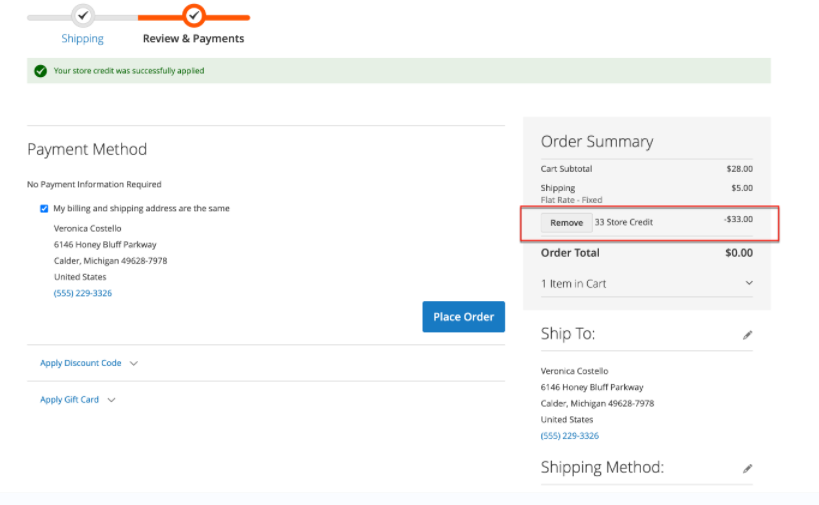
Aladdin Scientific. "How to apply store credit during checkout?" Aladdin Knowledge Base, updated 10 jul 2025. https://www.aladdinsci.com/us_es/faqs/how-to-apply-store-credit-during-checkout-en.html
Was this article helpful?YesNo12 out 14 found this helpful
We use cookies to ensure the website functions properly and, where permitted, to improve your experience. You can manage your preferences at any time in Settings. Learn more in our Cookie Policy.
Shall we send you a message when we have discounts available?
Remind me later
Thank you! Please check your email inbox to confirm.
Products are supplied to verified businesses, institutions, and qualified professionals for research and development use only. Not for use in humans, animals, diagnosis, or therapy.